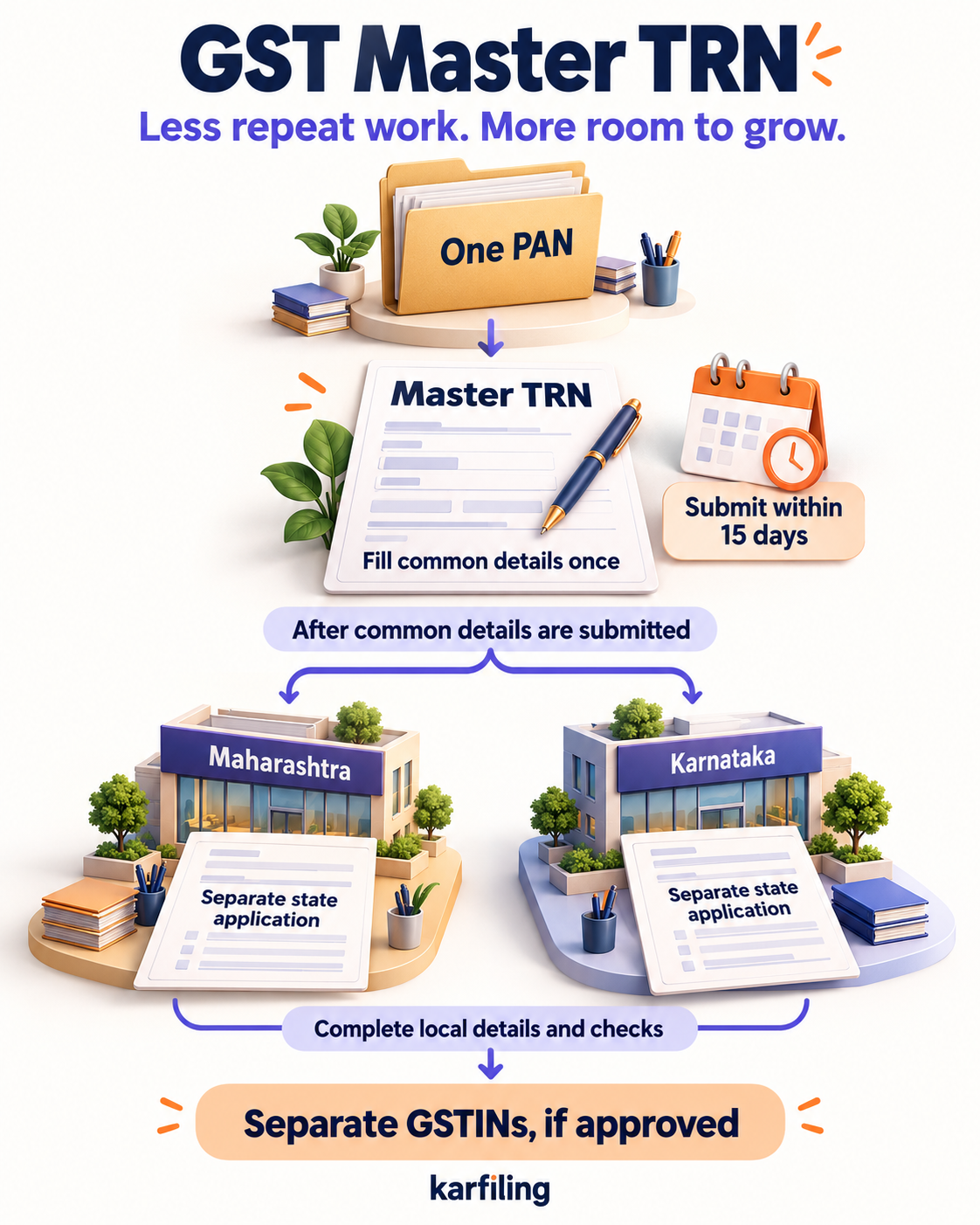
In a nutshell: enter common details once. Complete each state’s registration separately.
The simple summary: GSTN announced its new Master TRN multi-state option on 1 October 2026. Businesses using the same PAN can start several state applications together, without repeating all their common details.
The old problem
If your business needs registration in Gujarat, Maharashtra and Rajasthan, each state needs its own application. That used to mean entering the same business information again and again.
Important: having customers in another state does not, by itself, mean you need registration there. Check where and how your business operates. See CGST Act, Section 25 and Section 22.
What has changed?
Think of Master TRN—Master Temporary Reference Number—as a master file folder. Put your common details in it once. After you submit it, the portal creates a separate temporary reference for each selected state and copies those details across. You can still edit them.
The facility currently covers the portal’s Normal Taxpayer category—not every registration type. Read GSTN’s official advisory.
One shared start. Separate applications and checks for each state. Tap the illustration to view it larger.
For example: a Surat business opening offices in Maharashtra and Karnataka can reuse its common details. It still completes each office’s local information and registration process separately, wherever registration is required.
How to get started
Choose your states. Open Multi-State Registration. Enter your legal business name, PAN, email and mobile number, then complete OTP verification.
Fill the common details once. Use the Master TRN for business details, partners/directors, authorised signatory and what you sell. Submit it within 15 days.
Finish each state’s application. Review the copied details, add local information, complete applicable authentication and submit. Track each application separately.
To resume a saved draft, select the portal’s Master Temporary Reference Number option. For the usual registration requirements, see the official registration manual.
What each state still needs
Main business address and supporting documents.
Additional locations, such as branches or godowns.
State-specific information.
Aadhaar authentication and other applicable verification.
Keep the right premises documents ready—ownership proof, or appropriate rental/consent documents.
Don’t confuse these four things
One Master TRN does not mean one GST number for India. Each approved state registration still has its own GSTIN.
A reference number is not registration. The state application must be completed and approved. Approval is not guaranteed.
One Master TRN does not permit two applications in the same state. This route allows one application per selected State/UT.
15 days is a submission deadline—not an approval promise. Submit the Master TRN within that period and check each state draft’s deadline too.
Who benefits?
Businesses expanding into new states.
Traders opening branches or warehouses.
Sellers storing goods across states.
CAs managing a client’s expansion.
Less repeated typing can mean fewer copying mistakes and easier coordination. It does not guarantee faster approval.
Already registered? Your GSTINs are not merged. Return-filing obligations remain separate, as applicable. For a single-state application, the existing registration route remains available.
The bottom line
Less repeat work. Same state-wise requirements. Master TRN simplifies the starting paperwork; it does not replace each state’s registration process.
Information checked: 4 October 2026. Portal steps can change. This is general guidance, not advice for your particular business. Check current official requirements before applying.